
A service report with photos works when every visit shows five things: the crew arriving, the area before, the work in progress, the area after, and the client's sign-off. Each photo must carry a location and a time that nobody typed in. This post is for facility managers and AMC (annual maintenance contract) vendors who run recurring tank cleaning and pest control visits. It covers the photo routine, what to write on site, who does what, and what photos cannot show.
The visit the society said never happened
A housing society's committee member writes to the vendor: the quarterly tank cleaning was never done. The vendor's supervisor says the crew went on a Saturday morning. The crew has a few photos in a WhatsApp group, with no dates, and one of them is a screenshot.
Nobody can say which tank was shown, or whether the picture is from this quarter or the last. The committee asks for a re-service and holds back the bill until it is sorted.
This happens with pest control too. A flat owner says the crew never entered the kitchen. The crew says the owner was out and the watchman let them in. Both may be telling the truth. Neither has a record that settles it.
Why disputed service visits cost money and time
Recurring service work is hard to see afterwards. A cleaned tank looks like any tank once the lid is shut. A treated room looks like any room.
So the dispute turns on whose word you believe, and that costs the vendor in several ways:
- Repeat visits: a crew goes back to redo work that was already done.
- Held bills: the invoice waits while someone checks what happened.
- Supervisor hours: managers spend days searching old chats for pictures.
- Contract risk: a client who doubts one visit starts doubting the rest.
For the facility manager the cost is different. You answer to residents or a head office, and you cannot tell them a visit happened if all you have is the vendor's message.
With proof and without
Here is the same dispute handled two ways.
| Without a record | With a live-capture record | |
|---|---|---|
| Photos | Gallery pictures and forwards | Taken in the app on site |
| Date and place | Typed in, or lost by the chat app | Stamped on the image at capture |
| Which tank or room | Guessed from the picture | Noted per photo, numbered in order |
| The report | Built by hand days later | Made before the crew leaves |
| Who can check | Nobody | Anyone with the report's QR code |
A record does not end every argument. It moves the argument from "did it happen" to "was it done well enough", which is a fair thing to discuss.
The photo standard: arrival, before, work in progress, after, sign-off
Keep this to routine steps. The photos show the place and the work, nothing more. Take every photo with the crew standing where the client can later find the same spot.
1. Arrival
Photograph the building name board or gate, and the entrance to the tank room, terrace or flat. Add one wide shot of the tank or area you are about to service.
Why: it ties the visit to the right building and the right day.
2. Before
Frame each tank, sump or room as the client would see it. Take one wide shot and one close shot of the worst-looking part. Include something fixed in the frame, such as the lid, a pipe joint or a door, so you can repeat the angle later.
Why: a before photo with no fixed reference is easy to dismiss.
3. Work in progress
Take two or three photos while the crew works. Show the crew member at the task, the equipment in use and the area being worked. Take a short video if the job is long or hard to follow.
Why: it shows the work was done on site and not described afterwards.
4. After
Go back to the same spots and repeat the same angles. Close the lid or finish the room, then take one wide shot of the finished area.
Why: a reviewer compares before and after side by side. The match in angle makes the comparison fair.
5. Sign-off
Photograph the client or their representative at the site, if they agree to be in the picture, or the area they inspected. Get a signature, where your process allows it.
Why: it shows that someone from the client's side saw the finished work.
For wider routines on recurring visits, see our post on preventive maintenance report photos for AMC visits and the housekeeping audit checklist.
What to say or write on site
Photos need words beside them. Ask the foreman to add one line per stage, at the time, not in the evening.
A simple rule for the foreman: say which place, which stage, and what was done.
Sample notes:
- Arrival: "Tower B, terrace, overhead tank 1 of 2, crew of three arrived."
- Before: "Tank 1, lid open, view from the manhole."
- Work in progress: "Tank 1, crew member cleaning the inside wall."
- After: "Tank 1, same angle, lid closed."
- Pest control, before: "Flat 304 kitchen, under-sink area, before treatment."
- Sign-off: "Society secretary present, inspected tank room."
Do not write anything about chemicals, doses or health results in these notes unless your own contract and your trained supervisor require it. Keep the note to what a person can see.
How to do it with Verafii
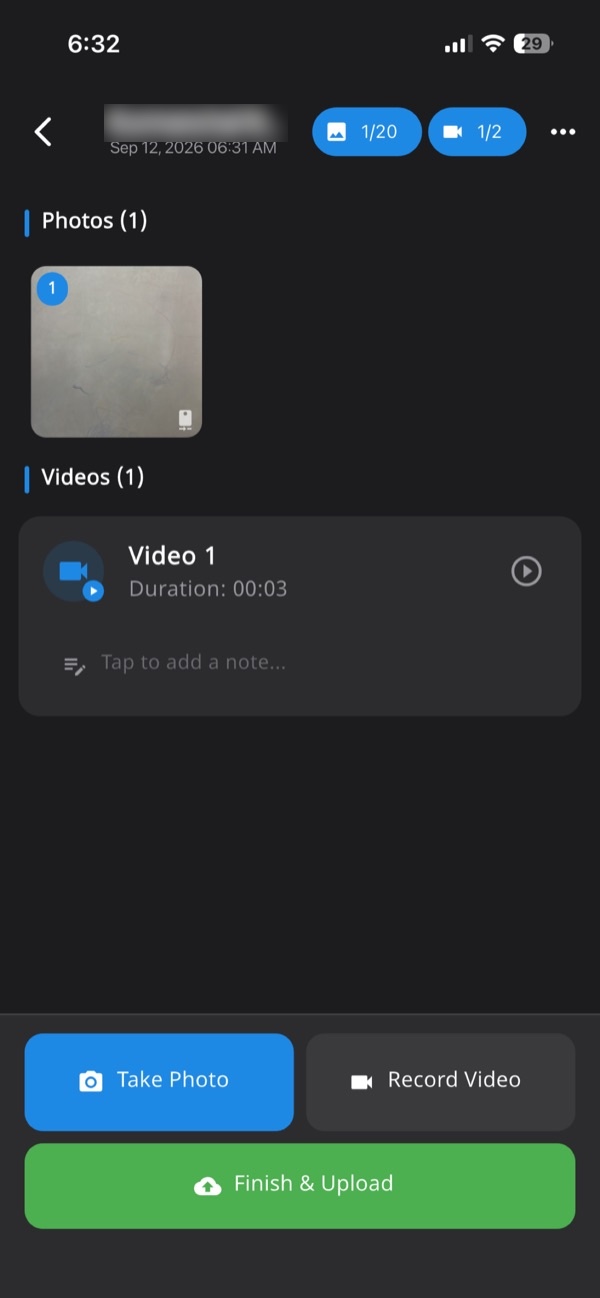
Verafii is a camera and report app. Its camera is live only, with no gallery and no file picker, so every photo is taken on site.
- Open the job for the building, so every photo and note lands in one session tied to the site.
- Take the arrival photo with the in-app camera. The GPS and time are burned into the image at the shutter.
- Capture the before, work-in-progress and after photos. Each one is numbered in the job record.
- Add a short note to each stage, using the sample lines above.
- If you have no signal in the basement or tank room, keep capturing. The photos upload when the phone is back online.
- Before leaving, make the one-tap PDF report. It carries the customer's logo, the location, device, time and a QR code.
- Send the PDF to the client's contact while the crew is still at the gate.
Anyone can then check a Verafii report by scanning the QR code, with no account and no app.
Two add-ons are available on request. Customer signature lets the client sign in the app, and the signature goes in the report. Attendance and sites lets crews clock in from site with a selfie, with geofenced sites. Both are charged on top of the plan. See our page on the GPS camera photo report for how the stamp works.
Field, office, client
Field
The crew captures the five stages, adds the notes and makes the report at the site. Tell them to go back to the same angles for the after photos. Keep the phone's location switched on.
Office
The manager reviews the job record on the web dashboard, checks that all five stages are present for every tank or room, and sends the report. If something is missing, ring the crew while they are still near the site. A fake location is flagged on the photo, the report and the dashboard, on Android and iPhone. A flag is a reason to ask, not proof.
Client
The client gets a PDF and a QR code. They can scan the code and see the public verification page. If they receive the file, they can drop it on that page to check it is untouched. Whether the client accepts the report is their decision.
For a wider look at how to build the document, read our post on photo report format PDF.
What photos can't show
Be clear about the limits, with the client and with your own crew.
- Water quality: a photo of a clean-looking tank does not show that the water is safe. That needs a test, done by a qualified person.
- Pests gone: a photo of a treated room does not show that pests are gone. It shows that a visit took place and where.
- Hidden corners: a camera shows only what is in front of it. Areas not photographed are not recorded.
- Quality of work: a before and after pair shows a change. It does not show that the method was right.
- GPS drift: location can be off by some distance indoors, in basements and near tall buildings. Ask the crew before you accuse anyone.
- Acceptance: whether a client, society committee or authority accepts the photos is their decision.
Be fair to your crew. A missing photo is often a dark tank room or a dead battery, not bad faith.
The checklist
Use this at the end of every visit before the crew leaves.
- Arrival photo: building board or gate, and the tank room or flat entrance.
- Wide before shot: every tank, sump or room, with a fixed reference in frame.
- Close before shot: the worst part of each area.
- Work photos: two or three per area, showing the crew and equipment.
- After photos: the same angles as the before shots.
- Closed and finished: lid shut or room restored, one wide shot.
- Notes: one line per stage, with the place and what was done.
- Sign-off: the client's representative present, and a signature where available.
- Report: PDF made and sent before the crew leaves.
- Gaps: any area not photographed, listed in the notes with the reason.
Frequently asked questions
What should a service report with photos include for tank cleaning?
Include the arrival, before, work in progress and after photos for each tank or sump, plus a sign-off. Add a one-line note per stage with the place and what was done. The date and location should come from the camera, not from typing.
How do I show before and after photos fairly?
Take the after photo from the same angle as the before photo, with a fixed object such as a lid or pipe joint in both. A reviewer can then compare them side by side. Number the photos in the order taken.
Can a photo prove that pests are gone?
No. A photo shows that a visit took place, where and when, and what the area looked like. It cannot show that pests are gone or that treatment worked. Treat the report as a record of the visit.
Can a photo prove that tank water is safe?
No. A clean-looking tank in a photo says nothing about water quality. That needs a test by a qualified person. The report only records the cleaning visit and the state of the tank at that moment.
How often should a water tank be cleaned?
This post does not give a frequency, because we found no official public source to cite. Check your local municipal or water authority guidance, and follow the schedule in your own contract.
Does Verafii make sure the client accepts my report?
No. Whether a client, society or authority accepts a report is their decision. Verafii's report shows GPS, time, device and a QR code that anyone can scan to check the file is untouched.
Are customer signature and attendance included in the plan?
No. Both are add-ons, available on request and charged on top of the plan. The signature is taken in the app and goes in the report. Attendance lets crews clock in from site with a selfie.
Try the routine on your next visit
You can try Verafii for 30 days free, with a call at the end to decide whether to continue. Start the free trial or ask for a quote. The price depends on your team: field agents, admin users, how long evidence is kept, and photo and video quality.
