Construction
Construction site photo reports, straight from site
Site engineers and supervisors capture progress photos and video in Verafii. Each photo carries the time and place it was taken, and the visit becomes a PDF report the client, consultant or head office can check.
Free for 30 days. No credit card.
Setting up a team? Get a quote →
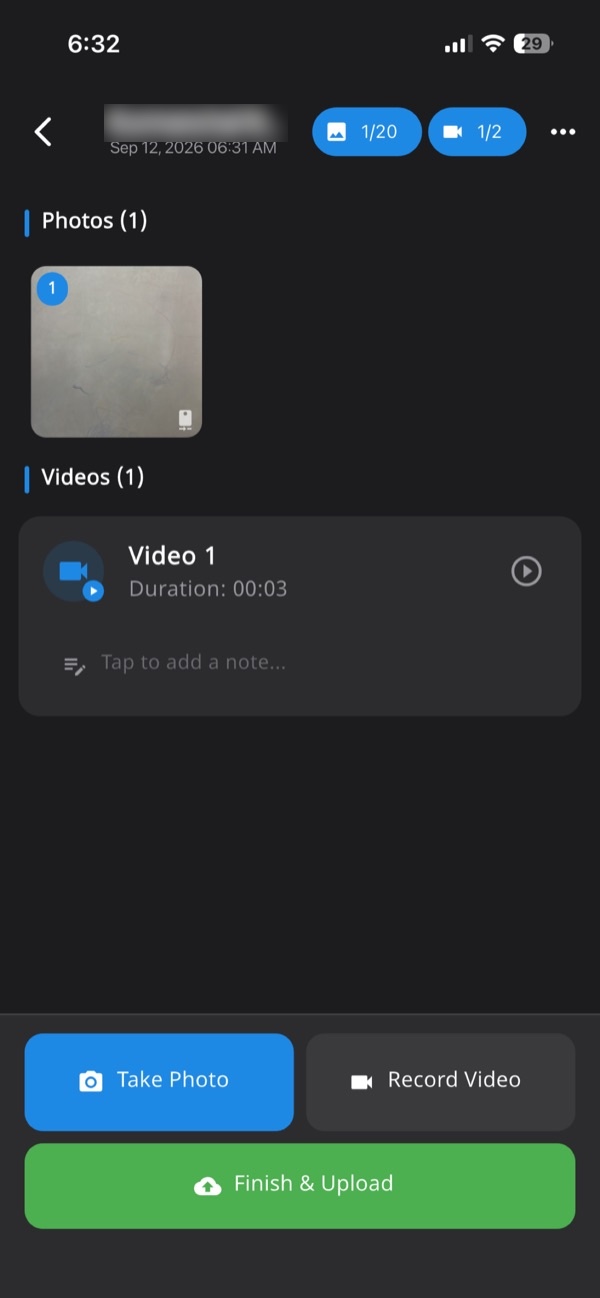
What you get
Progress you can date
Every photo shows when and where it was taken, so stage-by-stage progress is easy to show and hard to dispute.
A note on each photo
Add a line to any photo or video: the floor, the grid line, the snag. The notes go into the report.
One report per visit
Name the session after the site or the job, and send the PDF from the phone.
Head office sees it all
Every session reaches the web dashboard, searchable by person or job, with photos and video to download.
How it works
- 1Start a site visitName the session after the site or the job.
- 2Capture on sitePhotos and video through the Verafii camera, with a note on any of them.
- 3Send the reportOne tap makes the PDF; share it from the phone on WhatsApp or email.
- 4Your client checks itThey scan the QR code on the report. No account or app needed.
Questions
- Can we record video of the site?
- Yes. Videos are recorded in the same session as the photos and kept with it on the dashboard.
- Can the report carry our company logo?
- Yes. Your logo is on every photo stamp and report, and on the page your client opens from the QR code.
- Does it work without mobile signal?
- Yes. Photos are taken and stamped offline, and the session uploads when the phone is back online.