Free daily progress report (DPR) template
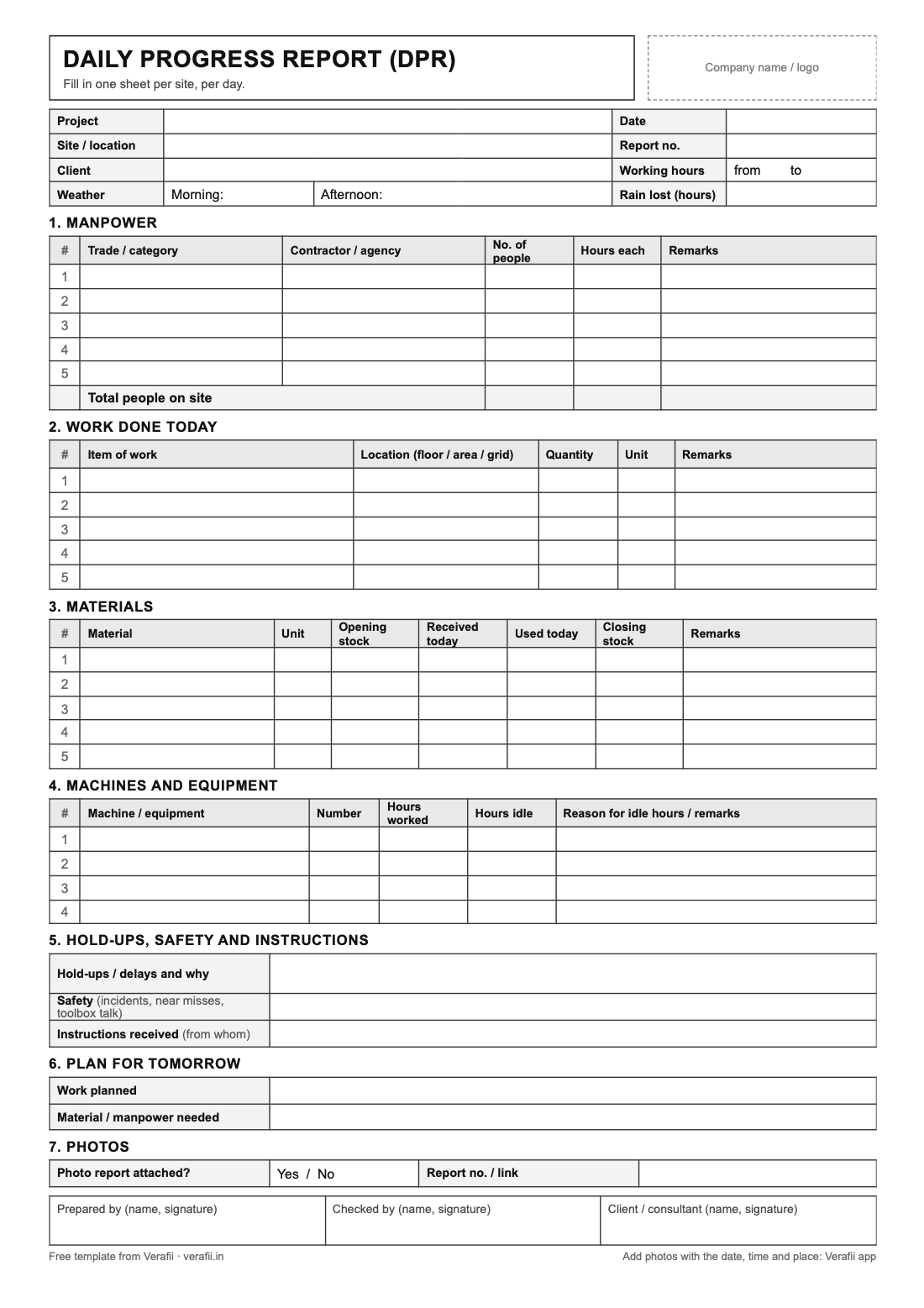
A blank DPR for site engineers and supervisors, in Excel and as a printable A4 PDF. It covers the day’s weather, manpower, work done, materials, machines, hold-ups and the plan for tomorrow. Free to download and change, with no sign-up or email.
Excel: .xlsx, with an example day · PDF: A4, to print and fill by hand. Free, with no sign-up or email.
Want the photos too? Start a free Verafii trial →
What you get
Site and day
Project, site, client, date, report number, working hours, the weather and any hours lost to rain.
Manpower
Each trade and contractor with the number of people and their hours. In Excel, man-hours and the totals work out by themselves.
Work done today
Each item of work with its location (floor, area or grid), the quantity and the unit.
Materials
Opening stock, received and used today for each material. In Excel, the closing stock works out by itself.
Machines and equipment
Hours worked and hours idle for each machine, with the reason for the idle hours.
Hold-ups, safety and tomorrow
Delays and why, safety notes, instructions received, the plan for tomorrow, a line for the photo report and three signatures.
Add photo proof to every DPR in a couple of minutes
A DPR says what was done; photos show it. But site photos usually sit in someone’s gallery, with no date or place anyone can check, and they seldom reach the client with the report.
With Verafii, the supervisor takes the day’s photos in the app and types a note on each: the floor, the item of work, the problem. One tap makes a PDF report with every photo’s note, date, time and place, and a QR code your client can scan to check it. Attach it to the day’s DPR or send it on WhatsApp.
Keep the manpower, material and machine tables in this template; Verafii adds the photo proof.
How it works
- 1Start a site visitName the session after the site or the job.
- 2Capture on sitePhotos and video through the Verafii camera, with a note on any of them.
- 3Send the reportOne tap makes the PDF; share it from the phone on WhatsApp or email.
- 4Your client checks itThey scan the QR code on the report. No account or app needed.
Questions
- What is a daily progress report (DPR)?
- A one-page record of a site’s day: the weather, who worked, what was done, which materials and machines were used, what held the work up, and the plan for tomorrow. Contractors send it every day to the client, the consultant or head office. On a site, DPR means daily progress report, not the detailed project report made before a project starts.
- Is the template really free?
- Yes. Download the Excel or PDF file and change it as you like. There is no sign-up and no email to give.
- Excel or PDF: which should I use?
- Excel if you fill it in on a computer: man-hours, totals and closing stock work out by themselves, and an Example sheet shows a filled-in day. The PDF is for printing and filling in by hand on site.
- Can I put my company name and logo on it?
- Yes. Both files have a box for it at the top. In Verafii, your logo goes on every photo and report by itself.