A PM KUSUM installation photo should show the finished pump at the farmer's own site, with the location and time clearly recorded. The national guidelines do not give one photo list for every state. Your state nodal agency's installation checklist and portal decide the exact shots. This post is for solar pump vendors and installers working under Component B (standalone pumps). It covers the scheme's status, what a good photo shows, why phone photos get questioned, and a checklist to run before inspection.
What to know now (November 2026)
The scheme's status has changed, so check before you act.
- Check the current deadline first: MNRE's comprehensive guidelines state the scheme was extended to 31 March 2026. After that date, I could not open an official notice on the portal that I can quote here.
- Treat later dates as reported, not confirmed: as reported by Krishi Center, new applications stopped on 31 March 2026, and some pipeline projects were allowed longer to finish. It cites an MNRE office memorandum of 28 March 2026. Ask your state agency for that memorandum and your own sanction's date.
- Ask the state nodal agency for its installation checklist: photo requirements differ by state, and the agency's list is the one your inspector will use.
- Photograph each pump as you go: do not wait for inspection day to collect pictures from different phones.
This post is about photos and records. It does not tell you whether a new pump will be sanctioned.
What PM-KUSUM Component B requires
PM-KUSUM is the Pradhan Mantri Kisan Urja Suraksha evam Utthaan Mahabhiyan, issued by the Ministry of New and Renewable Energy (MNRE). Component B covers standalone solar agriculture pumps for individual farmers. The national portal hosts the guidelines and forms.
The guidelines set project completion time from the date of sanction. They also allow limited extensions at MNRE level when the implementing agency gives valid reasons. Your state nodal agency (the state's implementing agency, often a renewable energy development agency or DISCOM, the power distribution company) runs the process locally.
That local layer is where photo rules sit. One state may want a photo from each pump corner, another may want a video of water discharge. Where the national text is silent, say so to your client and follow the state's order.
The photo and document requirements
I could not open a national photo-by-photo list in the official PDFs, so these points come from what the official forms ask for and what installers are usually asked. Confirm each with your state.
- Completion report: MNRE's Component B project completion report is written on the implementing agency's letterhead. Its wording confirms that the installed pump's location, including geo-coordinates, and its installation and inspection details were checked.
- Location proof: so the geo-coordinates in the report should match the photographs. Photos taken at the farm, not at the shop, make that match easy.
- Installation proof: the pump, the panels and the structure should each be visible in the photo set.
- Inspection proof: the inspector's visit, date and findings are usually recorded by the agency. Keep your own dated set to compare.
- State portal upload: many states ask vendors to upload photos to the state's own portal or app. Use that route; it is the one that counts.
If the state gives a format, follow it exactly. Do not substitute a general format.
What a good installation photo shows
A reviewer sees only the picture. Frame each shot so it answers one question without a caption.
- Site and farmer: the farmer, or the farm gate or borewell, with the pump in view. This ties the pump to a place.
- Panel array: all panels, the tilt and the structure foundation, with the stamp visible.
- Panel rating plates: close-up of each plate or the label showing wattage, if the state asks for serials.
- Pump and motor: the pump set at the water source, with its nameplate readable.
- Controller and wiring: the controller, cable routes and joints, before the cable is covered.
- Earthing and protection: the earthing connection and any lightning arrestor, before it is buried. See our earthing pit inspection checklist.
- Water discharge: a short video or photo of water coming out while the pump runs on solar power.
- Wide shot: one photo from far enough to show the whole installation in its field.
A close photo and a wide photo of each stage helps most. Our solar installation photo checklist has the same stage logic for rooftop and ground-mount jobs.
Why an ordinary phone photo gets questioned
An ordinary phone photo is easy to question, even when the work is honest.
- The phone clock can be changed: a date on the picture can be wrong. See can a photo's date and time be changed.
- Chat apps drop location: a photo sent over WhatsApp usually loses its location data, so the reviewer sees only the image.
- Gallery photos have no story: a picture picked from the gallery could be from another farm or another year.
- Location apps can be spoofed: a fake-location app can put a pump in the wrong place.
- The rule can be unclear: if the state does not say how location must be shown, the reviewer decides, and different officers decide differently.
The reviewer is usually sitting in an office, far from the farm. A photo that carries its own place and time is easier for that person to trust. They may still ask more questions.
How to do it with Verafii
Verafii is a live-capture camera and report app. It does not upload to the PM-KUSUM portal and does not replace an official app. Use it to build a clean record of your own, then upload to the state portal as the state requires.
- Open Verafii at the farm and start a new job for that farmer's pump.
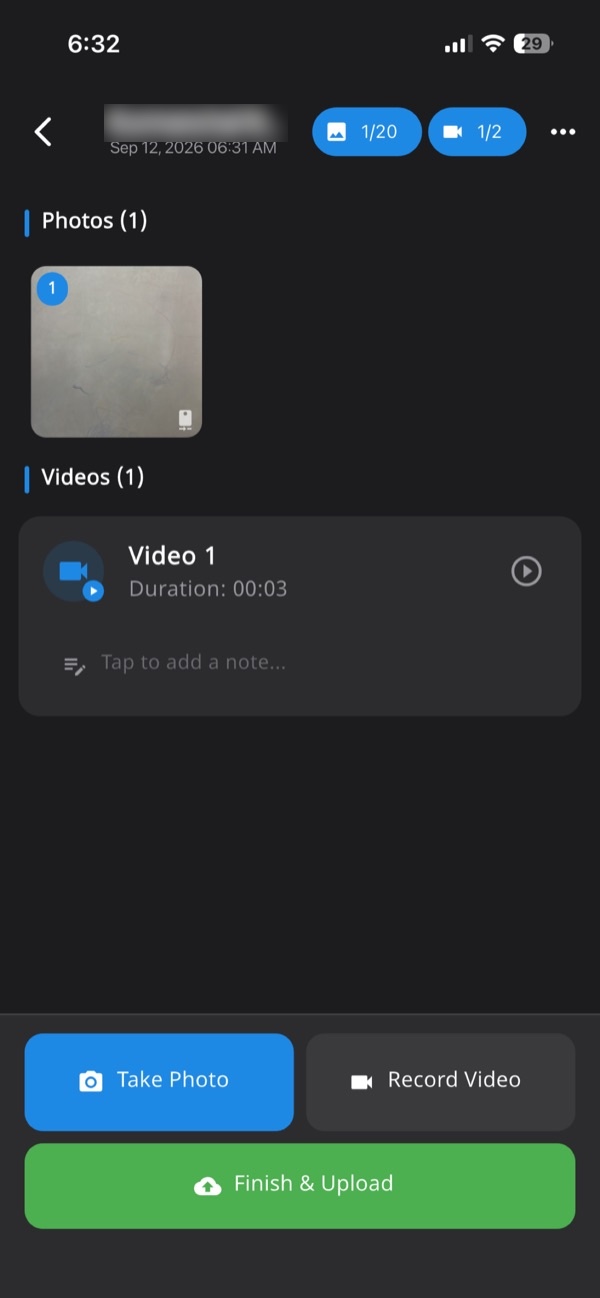
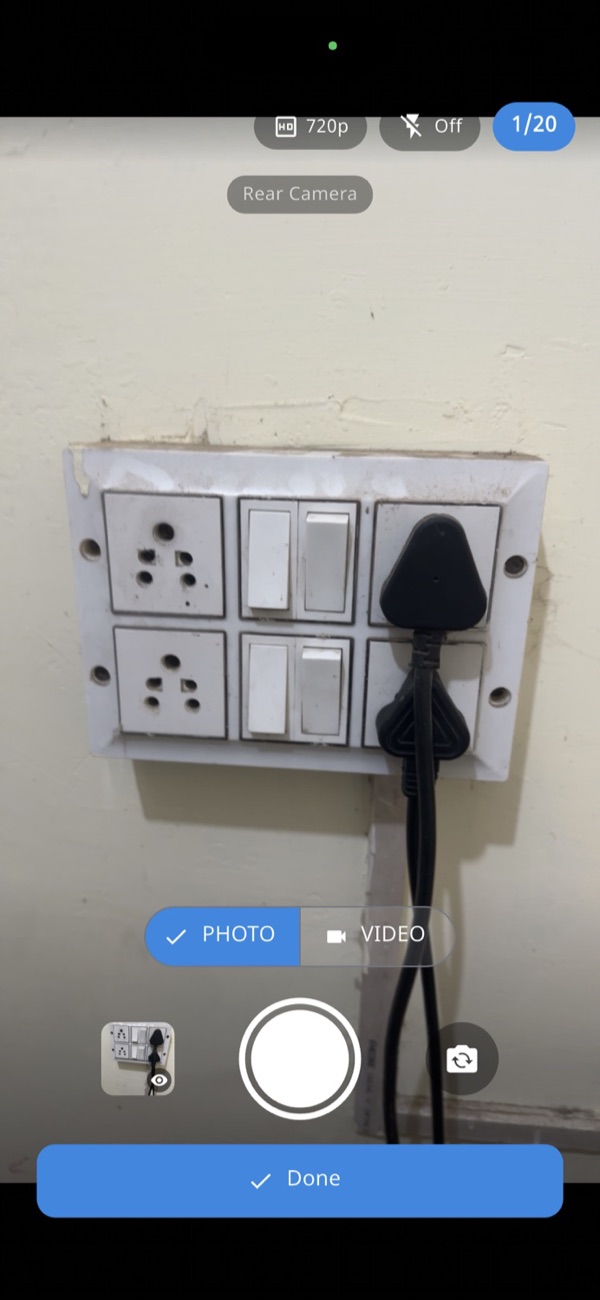
- Tap the camera and take each stage live. There is no gallery, so every photo is from the site.
- Check each photo for the GPS and time stamp burned into the image at the shutter.
- Take a video of water discharge, with audio if the state asks for it. Signal is not needed; capture works offline and uploads when the phone is back online.
- Add a short note to a photo where the stage is not obvious, for example the controller before cable cover-up.
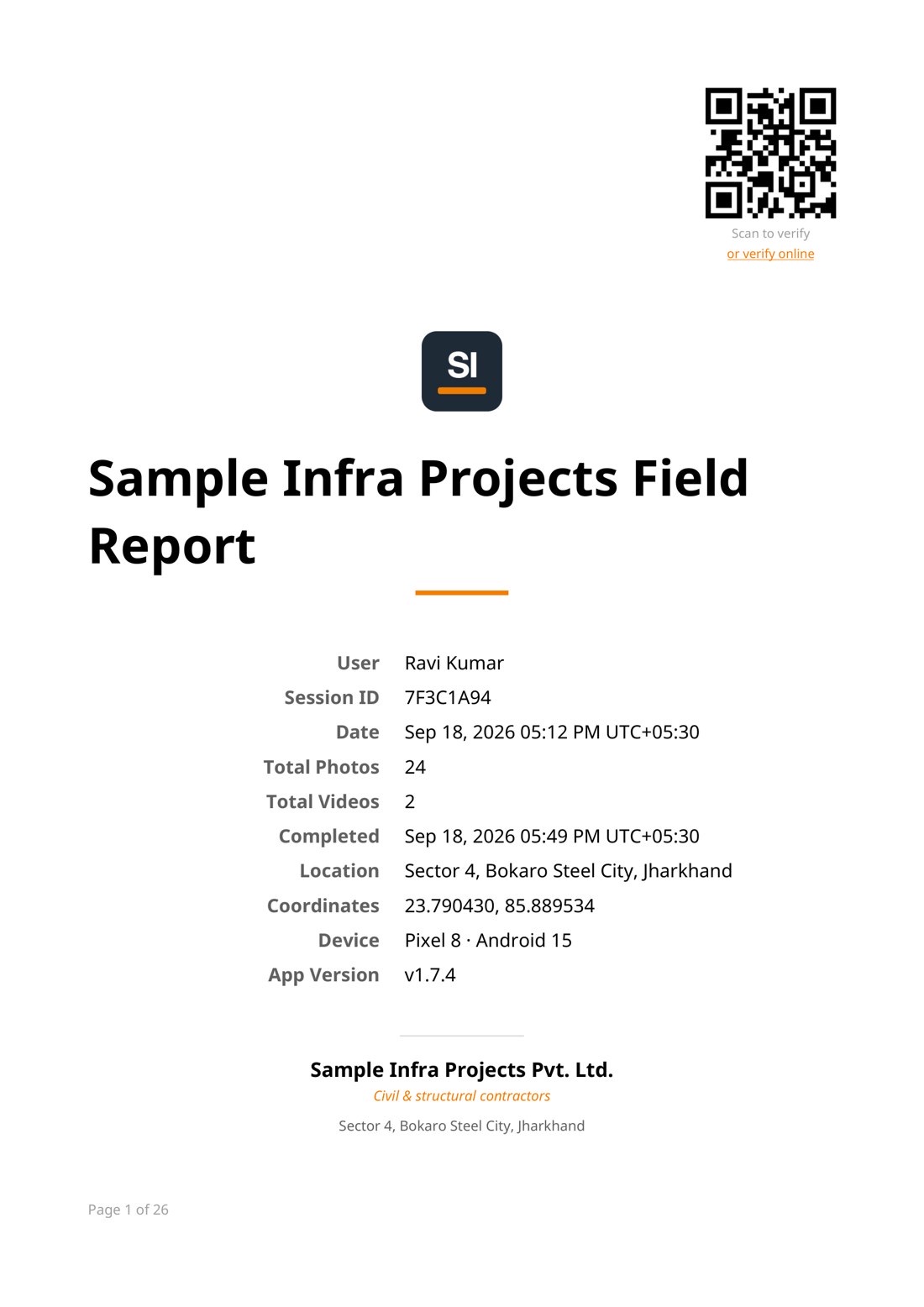
- Tap Report to create the one-tap PDF report, with your company logo, location, device, time and a QR code, before you leave the site.
- Send the PDF to the client or agency, and use the saved photos for the state portal upload.
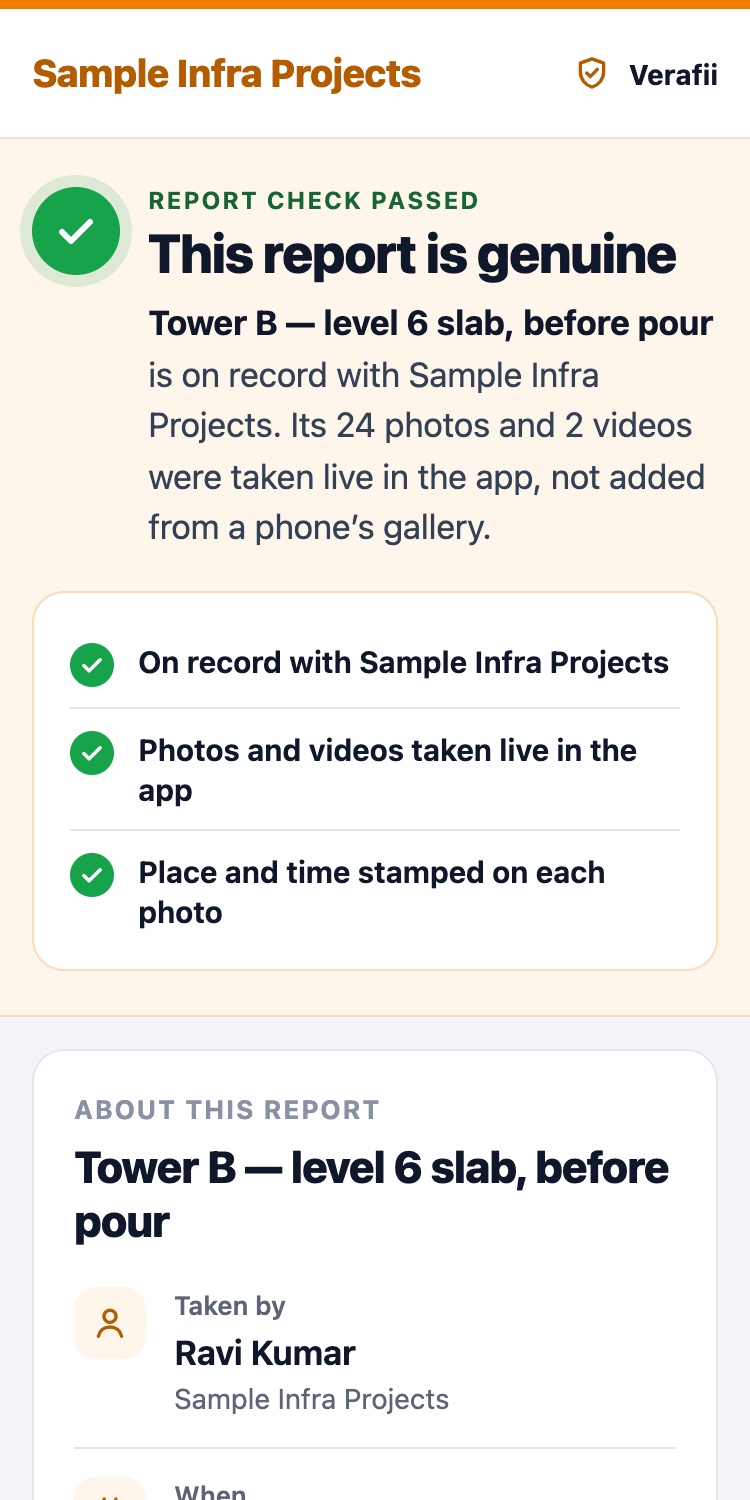
Anyone can then scan the QR to open the public check page, with no account needed. If a photo was taken with a fake location, it is flagged on the photo, the report, the verify page and the dashboard, on Android and iPhone. A flag is a reason to ask, so ask before you accuse.
Keeping it organised across a team
Vendors with several crews often lose track of which photo belongs to which farmer. A few habits fix most of it.
- One job per pump: use the farmer's name and sanction or application number in the job name, so nothing mixes.
- One checklist for every crew: copy the state agency's list into a shared note and tick it in order.
- Review before leaving: the lead checks for missing stages while still at the farm, because a return trip costs time and fuel.
- Keep the report for the file: the PDF and its QR stay with the job, ready for the agency or your own accounts team.
Managers can see jobs on the web dashboard. For a wider view of remote review, see monitor site progress remotely. Our GPS camera photo report page explains the stamp and the report in more detail.
Attendance and live tracking during work hours are add-ons available on request. They are not part of the plan.
What this record can't do
Be clear with your team and client about the limits.
- It is not an approval: whether an agency, portal or inspector accepts a photo is their decision. Verafii does not claim any department accepts it.
- It does not upload to the portal: you still make the state upload yourself.
- It does not prove quality: a photo shows a pump was there. It does not show output, head, discharge rate or efficiency.
- It cannot rescue a missed stage: a cable buried without a photo stays unphotographed.
- GPS can drift: in a narrow village lane or under trees the location may be off by some metres. Ask the installer before you assume wrongdoing.
- Reports and watermarks are in English, even though the app has 11 languages.
- It does not decide eligibility: the scheme's dates, subsidy and farmer selection are the agency's call.
The SHA-256 fingerprint on a report shows whether the file was changed after it was made. It does not show whether the scene was staged.
A checklist before inspection
Run this the day before the inspector arrives.
- Scheme status: confirm your sanction's deadline with the state nodal agency in writing.
- State checklist: print or save the state's own installation checklist.
- Farmer details: match the name, survey number and location to the sanction.
- Panel photos: array, structure, foundation and rating plates.
- Pump photos: pump, motor, nameplate and controller.
- Hidden work: wiring and earthing photographed before cover.
- Water discharge: a video or photo with the pump running on solar power.
- Location: every photo carries a visible place and time, with no fake-location flag.
- Report: the PDF made on site, with the QR tested once.
- Portal: state upload done, and the reference number saved with the job.
This list is a general guide. The state's list comes first.
Frequently asked questions
Is PM-KUSUM still open for new solar pump applications?
Check with your state nodal agency. MNRE's guidelines say the scheme was extended to 31 March 2026. As reported by Krishi Center, new applications closed then and some pipeline projects continue. A successor scheme was reported as a proposal; confirm on the official portal.
What photos are needed for a PM-KUSUM solar pump installation?
There is no single national list that I could find. The state nodal agency's installation checklist decides. Typically you capture the site, panels, structure, pump, controller, wiring, earthing and water discharge. The completion report refers to geo-coordinates and installation details.
Do PM-KUSUM photos need to be geo-tagged?
The Component B completion report on the national portal refers to the pump's location, including geo-coordinates, being checked. Whether your state needs geo-tagged photos, and in what form, depends on its own checklist. Ask the state nodal agency in writing.
Does Verafii upload photos to the PM-KUSUM portal?
No. Verafii does not upload to any government portal and does not replace an official app. It records photos live with GPS and time and makes a PDF report. You upload to the state portal yourself.
Can a fake GPS app be used on PM-KUSUM photos?
A fake-location app can put a wrong place on an ordinary phone photo. In Verafii, a photo taken with a fake location is flagged on Android and iPhone, on the photo, report, verify page and dashboard. A flag is a reason to ask, not proof of wrongdoing.
Will Verafii make sure my photos are accepted?
No. Whether an agency, inspector or portal accepts a photo is their decision. Verafii shows what each photo and report contains: live capture, GPS, time and a SHA-256 fingerprint that anyone can check.
Can I take PM-KUSUM installation photos with no mobile signal?
Yes, with Verafii. Capture works offline and the photos upload when the phone is back online. Check your state's portal rules separately, as its upload may need signal.
Try Verafii on your next pump installation
Start the 30-day free trial and run one installation through it, from first photo to PDF report. Or ask for a quote. The price depends on your team: field agents, admin users, how long evidence is kept, and photo and video quality. This article is general information, not legal advice.